
Shopify POS Integrationwith SumUp.
Use your SumUp card reader in Shopify POS — at your SumUp rates.
Use your SumUp card reader in Shopify POS — at your SumUp rates. Close the sale with the payment type you set up once.
How it runs in Shopify POS
Click through the flow — from the cart to the close.
Manual mode: You click 'Send payment' yourself.
Apply Discount
Custom Sale
Open Drawer
SumUp Solo
Ready
Tap the SumUp tile
From the cart to the terminal.
You send the amount from Shopify POS to the assigned SumUp Solo. The customer pays on the terminal. You close the sale in Shopify with the payment type you set up once.
SumUp × Shopify. Connected.
Cart total or a partial amount to the assigned SumUp Solo. The receipt stays in Shopify.

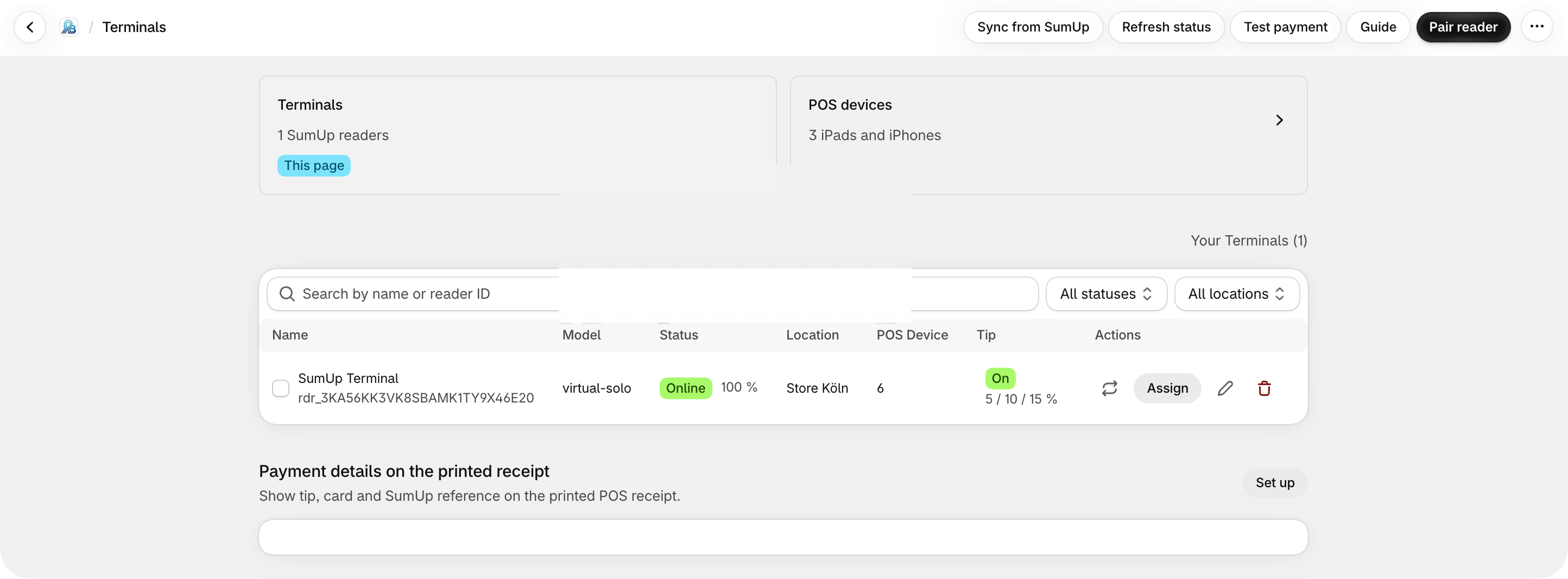
01 · Terminals
Pair a reader. Manage it. Start.
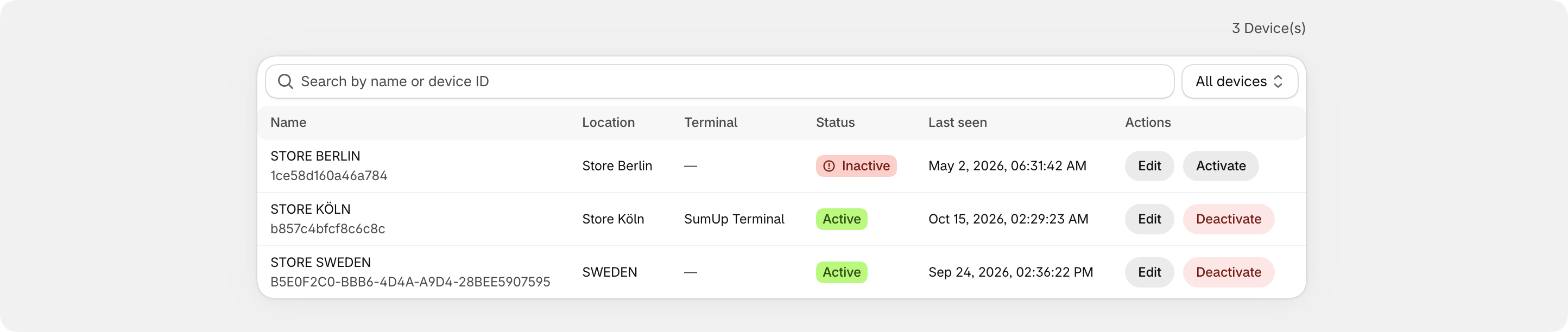
Manage every SumUp device in one place — by location and by register.
- Pair or import a SumUp Solo
- Assign locations and POS devices
- Check status and connection
02 · Reconciliation
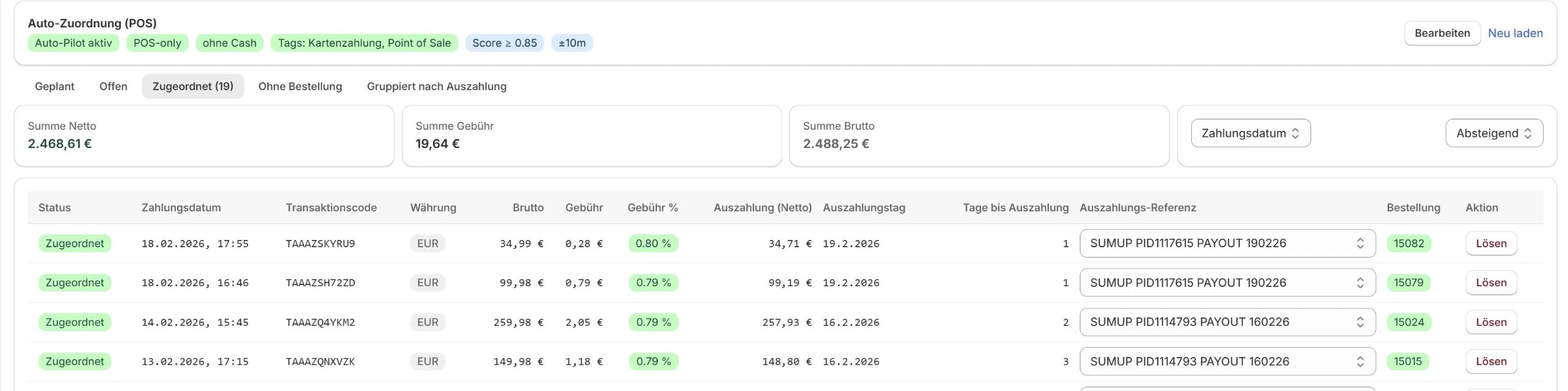
Match and reconcile payments automatically.
Every card payment lands on its order — including fees and payouts.
- Link payments to orders
- Match payouts automatically
- See fees in place
- Export for bookkeeping

03 · Dashboard
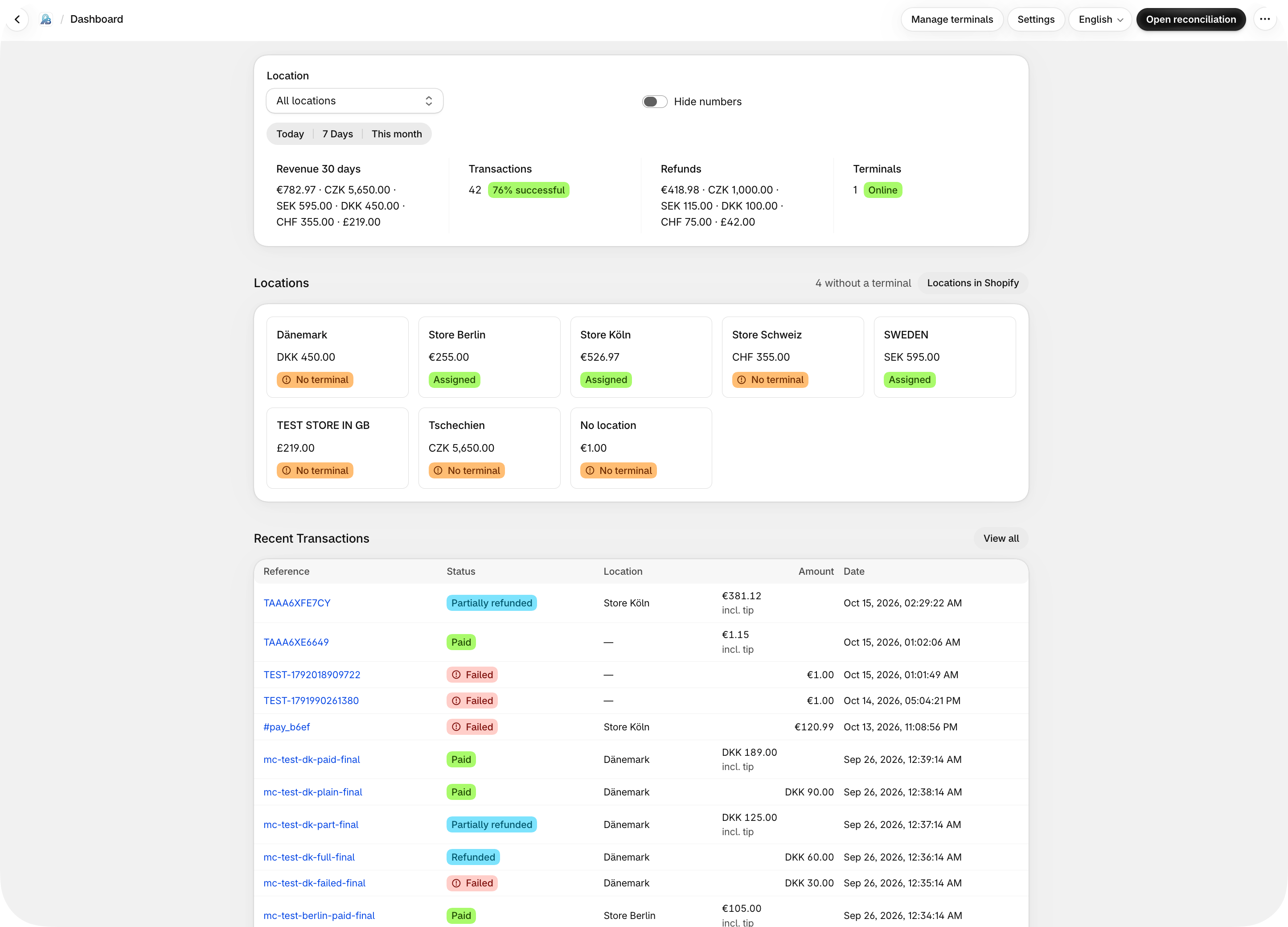
Every transaction in view.
Revenue, success rate, and terminals at a glance — today, 7 days, 30 days, or the month.
Ready in 4 steps
Request access, assign a SumUp terminal, and start payments from the PosBridge extension in Shopify POS.
- 7-day free trial
Request access
A short form with name, email, shop URL and plan.
- Reply within 24 h
- Install link after review
- In the app
Assign a terminal
Pair a SumUp Solo and assign it to a till.
- Per location & POS device
- Live status
- 1 tap
Send the amount
Tap the tile in Shopify POS — the amount appears on the reader.
- Full or partial amount
- No manual entry
- Automatic
Match & done
The payment is matched to the order. Complete checkout.
- Fees & payouts
- Export for accounting
Ask today, take payments tomorrow.
Install link after review · 7-day trial · Cancel monthly
Simple, transparent pricing
Choose your plan and send a request — we'll get back to you within 24 hours.
STARTER
For small merchants – 200 transactions/month
Features
- Tips at the terminal
- Automatic refunds
- Manual linking
- Automatic linking
- CSV export
- Tip reports
- Payout matching
- Historical backfill
- Audit logs
- Advanced reports
BASIC
For growing merchants – 500 transactions/month
Features
- Tips at the terminal
- Automatic refunds
- Manual linking
- Automatic linking
- CSV export
- Tip reports
- Payout matching
- Historical backfill
- Audit logs
- Advanced reports
PRO
For high-volume merchants – 2,000 transactions/month
Features
- Tips at the terminal
- Automatic refunds
- Manual linking
- Automatic linking
- CSV export
- Tip reports
- Payout matching
- Historical backfill
- Audit logs
- Advanced reports
ENTERPRISE
Custom pricing & unlimited transactions for large businesses
Unlimited transactions
Features
- Tips at the terminal
- Automatic refunds
- Manual linking
- Automatic linking
- CSV export
- Tip reports
- Payout matching
- Historical backfill
- Audit logs
- Advanced reports
STARTER
For small merchants – 200 transactions/month
Features
- Tips at the terminal
- Automatic refunds
- Manual linking
- Automatic linking
- CSV export
- Tip reports
- Payout matching
- Historical backfill
- Audit logs
- Advanced reports
BASIC
For growing merchants – 500 transactions/month
Features
- Tips at the terminal
- Automatic refunds
- Manual linking
- Automatic linking
- CSV export
- Tip reports
- Payout matching
- Historical backfill
- Audit logs
- Advanced reports
PRO
For high-volume merchants – 2,000 transactions/month
Features
- Tips at the terminal
- Automatic refunds
- Manual linking
- Automatic linking
- CSV export
- Tip reports
- Payout matching
- Historical backfill
- Audit logs
- Advanced reports
ENTERPRISE
Custom pricing & unlimited transactions for large businesses
Unlimited transactions
Features
- Tips at the terminal
- Automatic refunds
- Manual linking
- Automatic linking
- CSV export
- Tip reports
- Payout matching
- Historical backfill
- Audit logs
- Advanced reports
* All prices excl. VAT.
* Transaction = processed card payment/month · refunds don't count twice · resets on the 1st.