
Send SumUp payments directly from Shopify POS
- - Push cart amount directly to the terminal
- - No manual amount typing on the reader
- - Faster checkout during peak hours
This page bundles the most important PosBridge capabilities for day-to-day operations, setup, and reconciliation.
You send the amount from Shopify POS to the assigned SumUp Solo. The customer pays on the terminal. You close the sale in Shopify with the payment type you set up once.
Cart total or a partial amount to the assigned SumUp Solo. The receipt stays in Shopify.

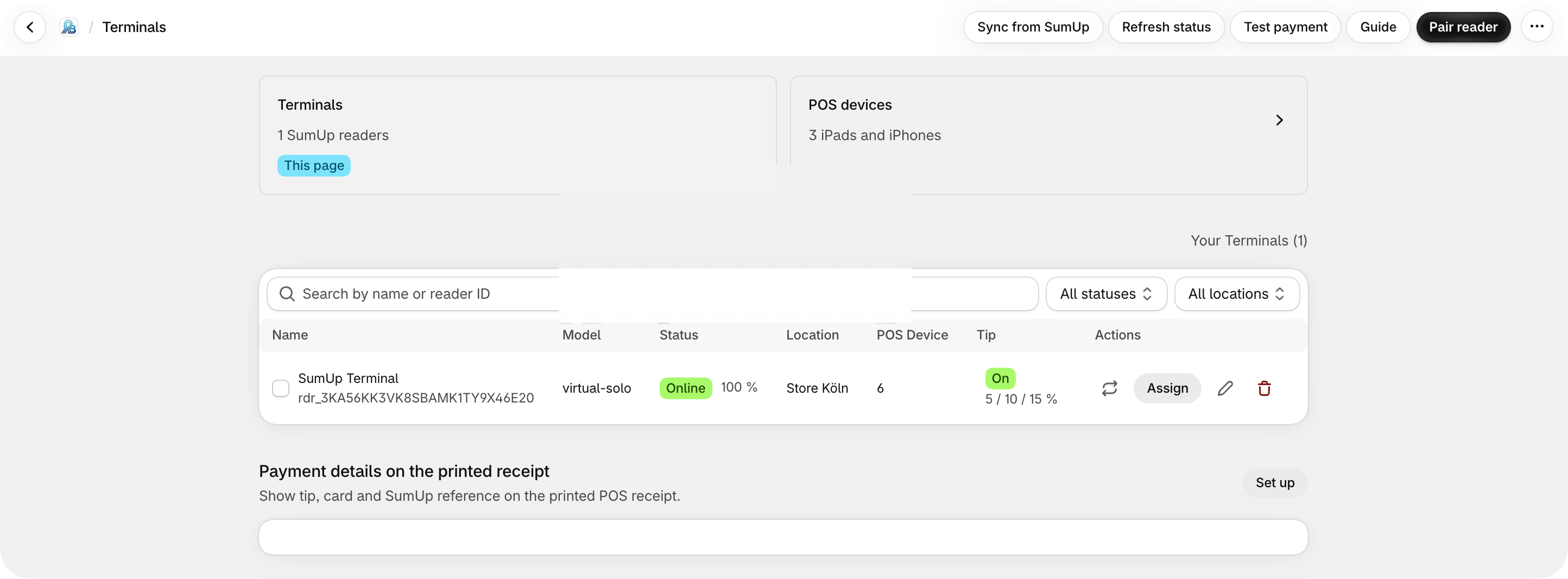
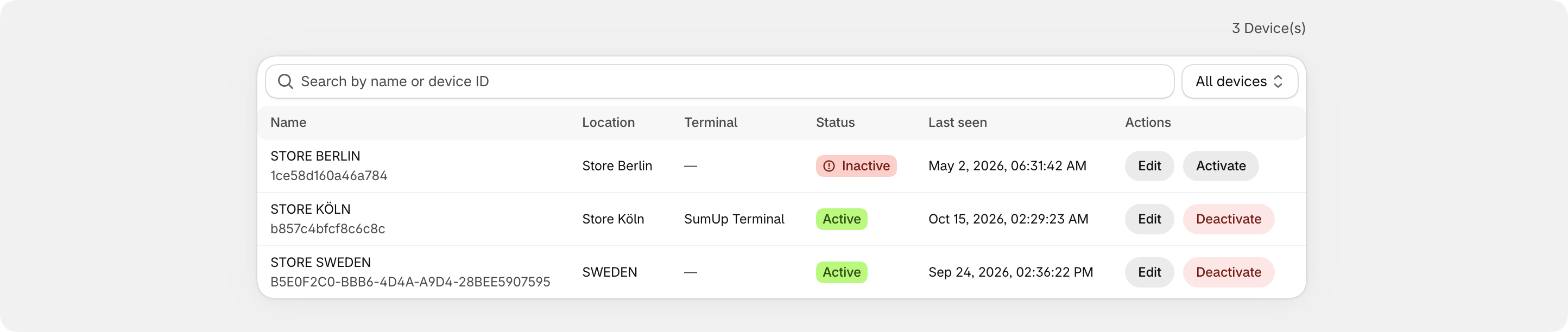
01 · Terminals
Manage every SumUp device in one place — by location and by register.
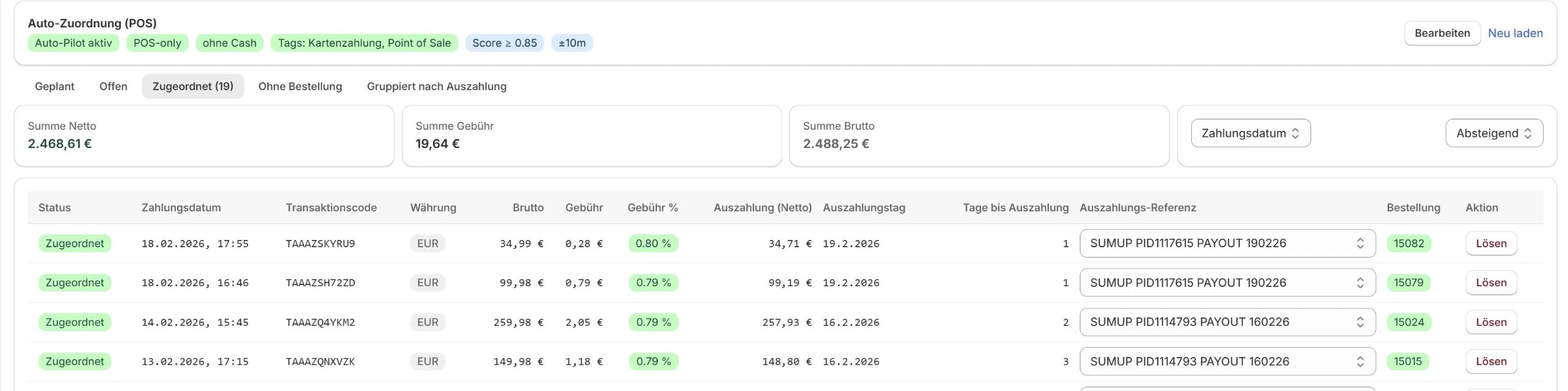
02 · Reconciliation
Every card payment lands on its order — including fees and payouts.

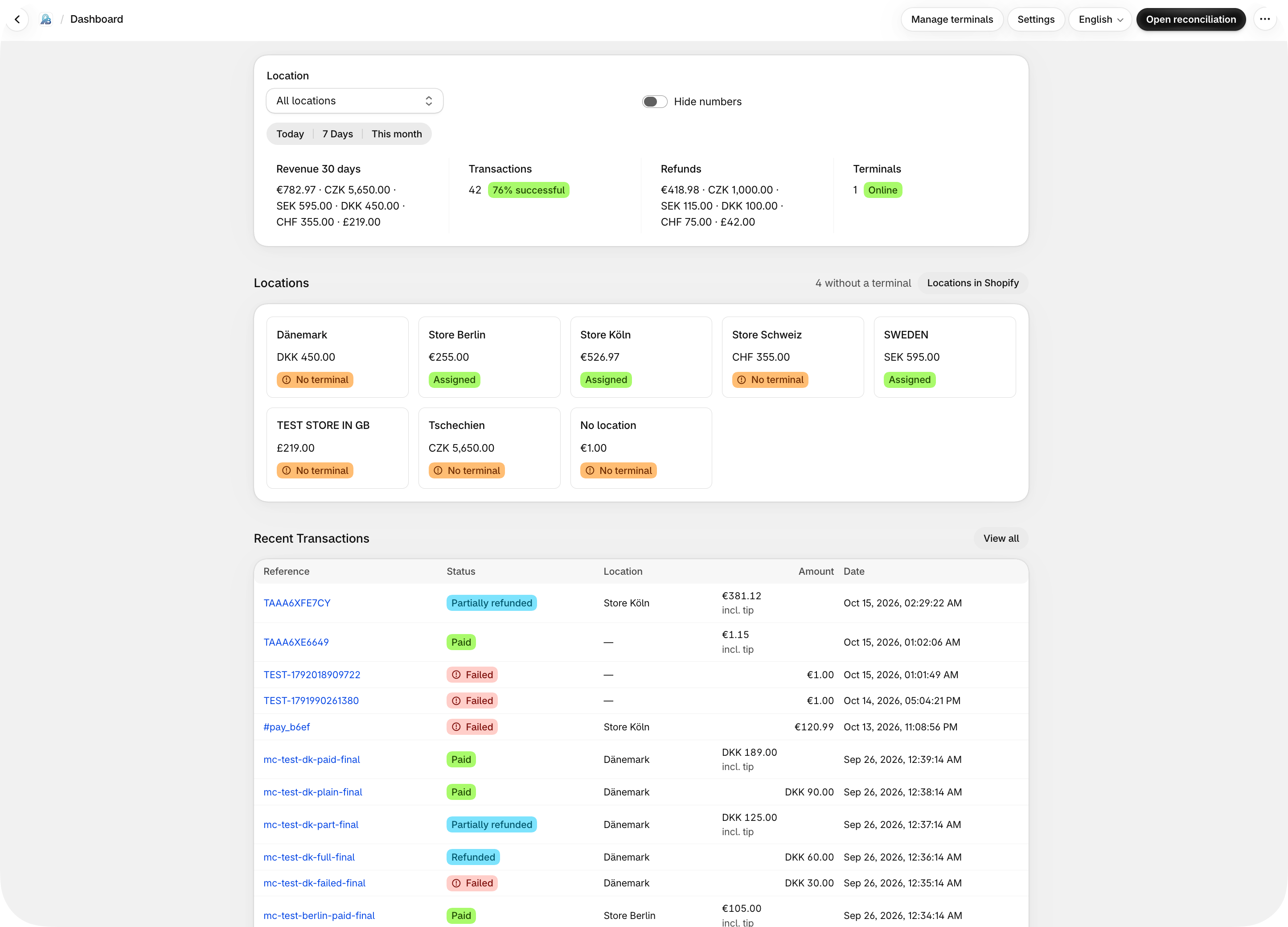
03 · Dashboard
Revenue, success rate, and terminals at a glance — today, 7 days, 30 days, or the month.
Amount to the terminal
Cart total or a partial amount to the assigned SumUp Solo. No manual amount entry.
Close in Shopify
After the card payment, you close the sale in Shopify POS with the payment type you set up once. The receipt stays in Shopify.
Every location
One view of every location. Assign each location its terminals.
Revenue by location
Transactions, terminal use, and revenue, current by location.
No card data
Card and customer data are not stored. AES-256 and OAuth 2.0.
Match in the admin
Later in PosBridge: match SumUp card payments to Shopify orders. Open and matched at a glance.
Not Shopify Payments
PosBridge connects Shopify POS with SumUp. Not a payment gateway, and it does not process cards itself.
Partial amount
A partial amount for a deposit or a split payment.
This page bundles the most important PosBridge capabilities for day-to-day operations, setup, and reconciliation.